You're invited, not signed up cold
A blog's admin invites you by email. You get an invite, sign up, and land straight in their hub – no separate account to configure, no password to hand over to anyone.
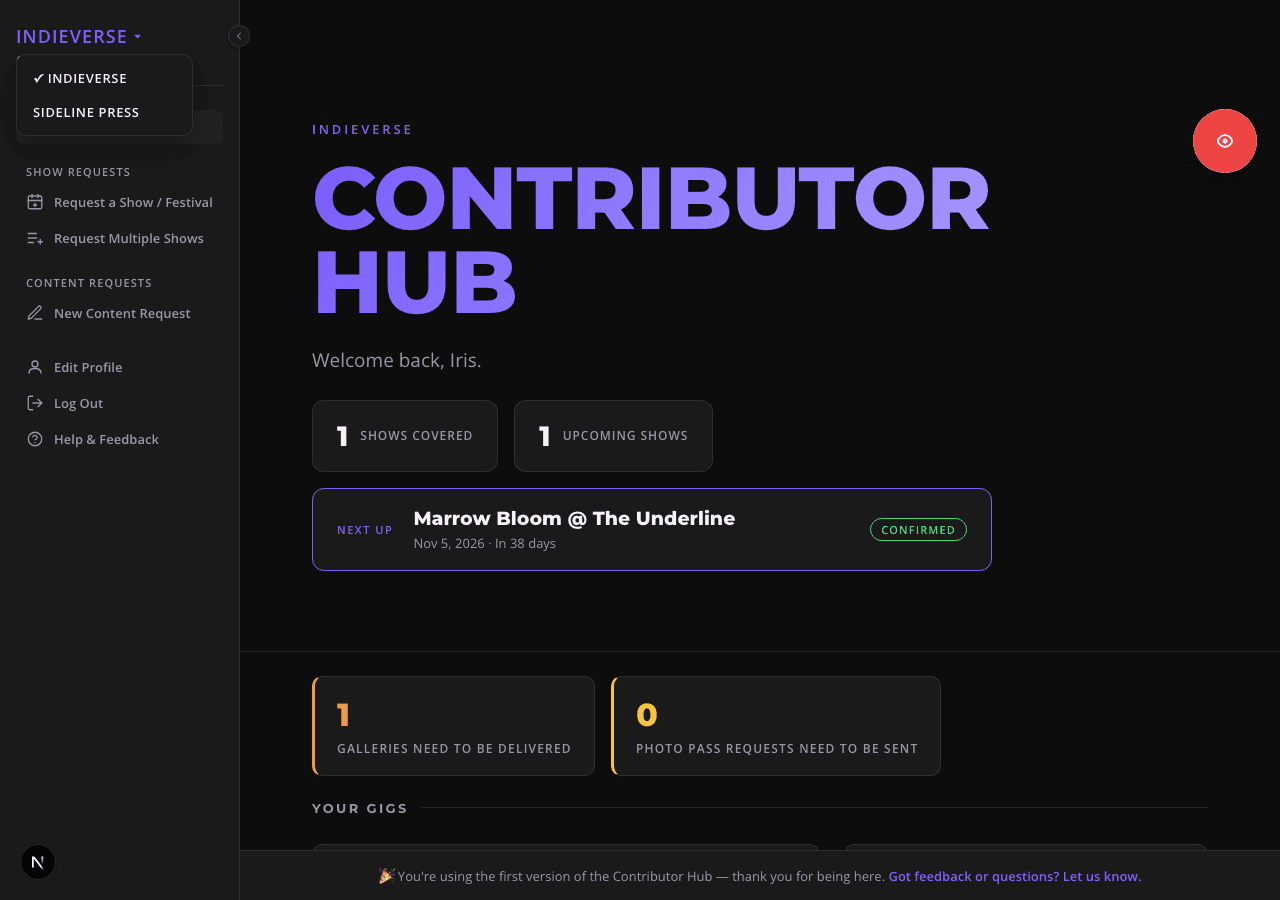
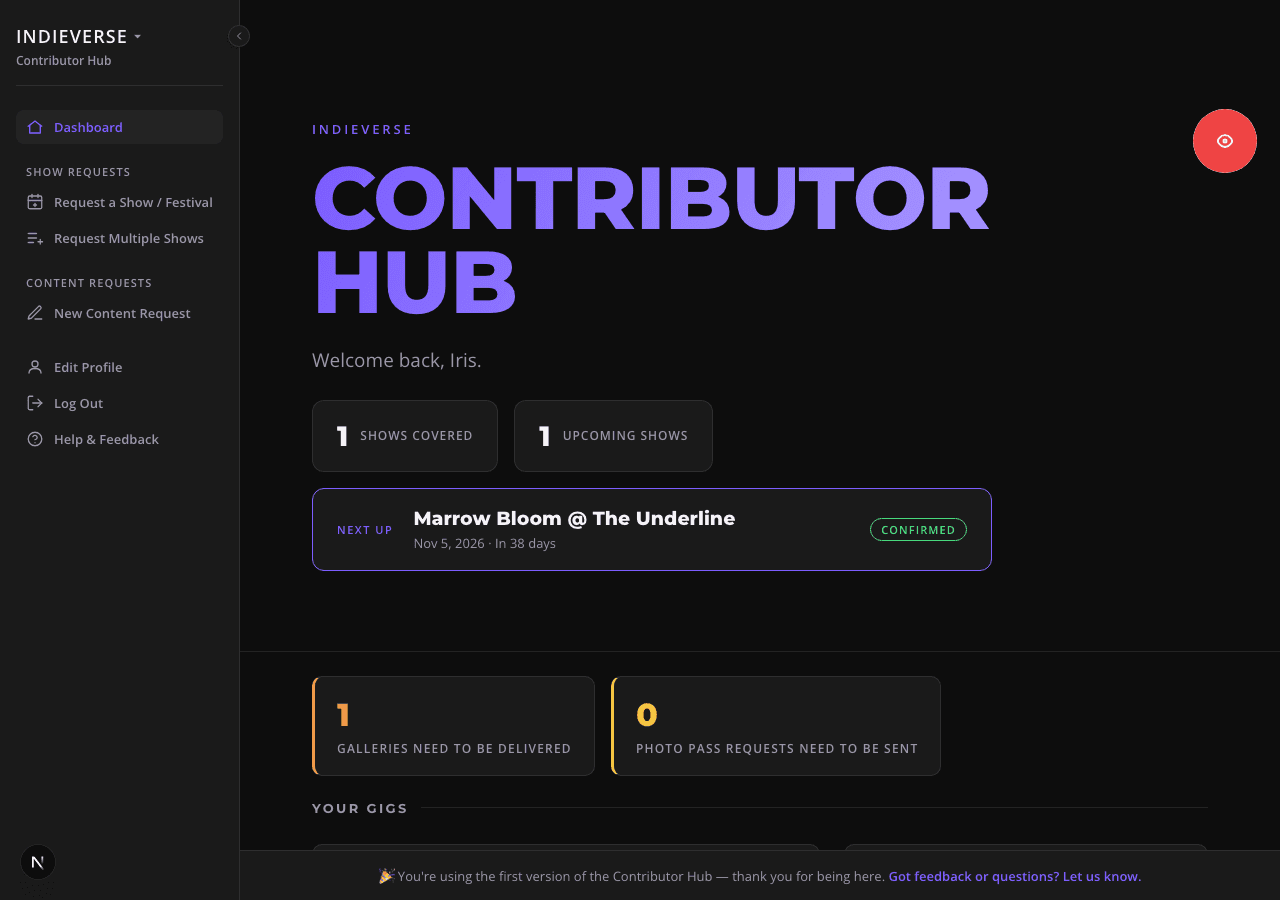
The same sign-in can belong to more than one hub, each with its own role – handy if you write or shoot for more than one publication. A switcher at the top of the sidebar lists every hub you're part of.
yourname.zinery.co/admin/dashboard
Your dashboard
Your dashboard shows a calendar of your own upcoming shows, key figures relevant to you – like a photo pass you still need to request or a gallery you have to deliver – and a list of your own current requests.
yourname.zinery.co/admin/dashboard
Request a show or festival
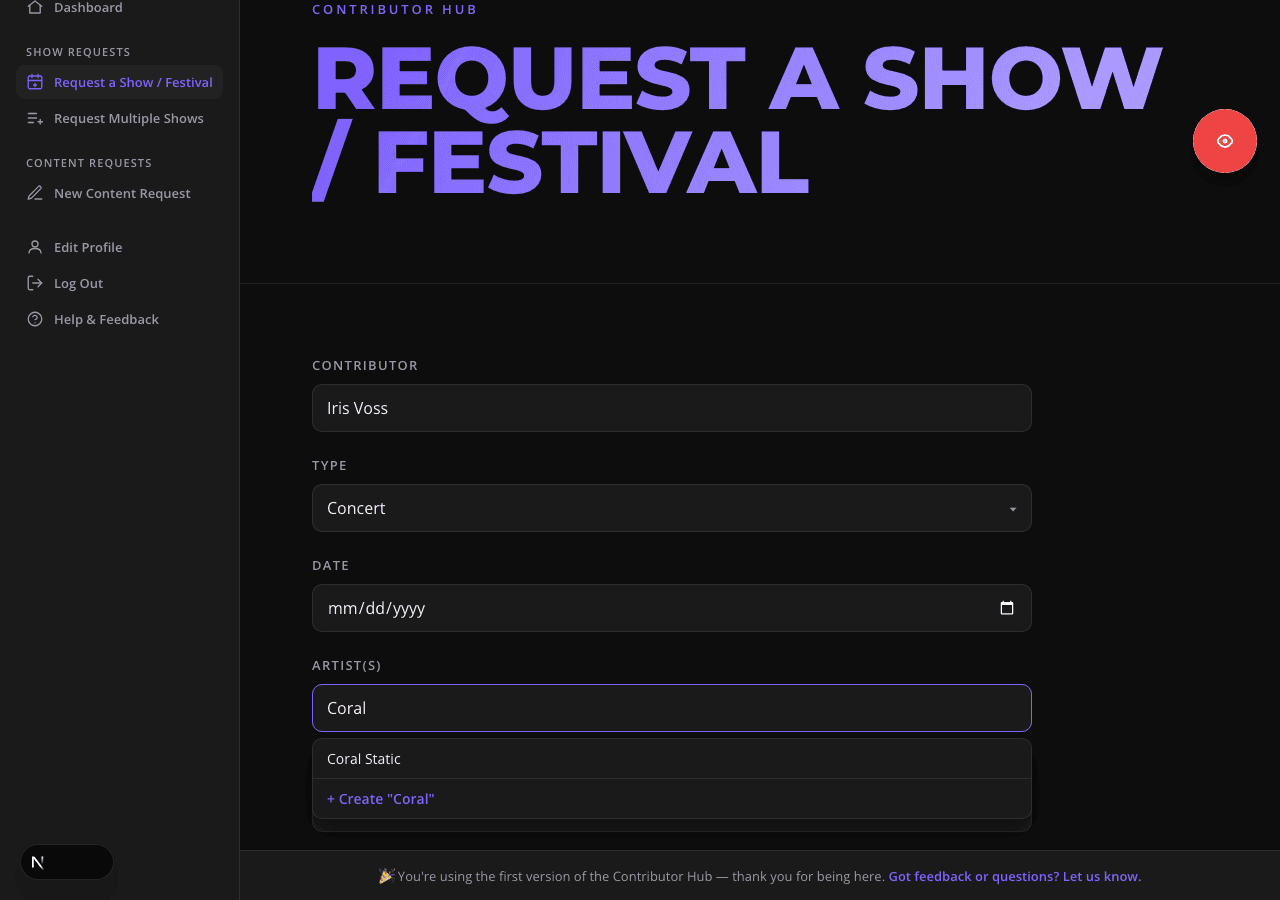
Request shows and festivals in seconds. Just enter the date, the artist(s) and venue, and whether you want a photo or review pass. Artist and venue fields autocomplete as you type – if the name doesn't exist yet, it's created automatically when you submit.
yourname.zinery.co/admin/event/new
Follow your request through to done
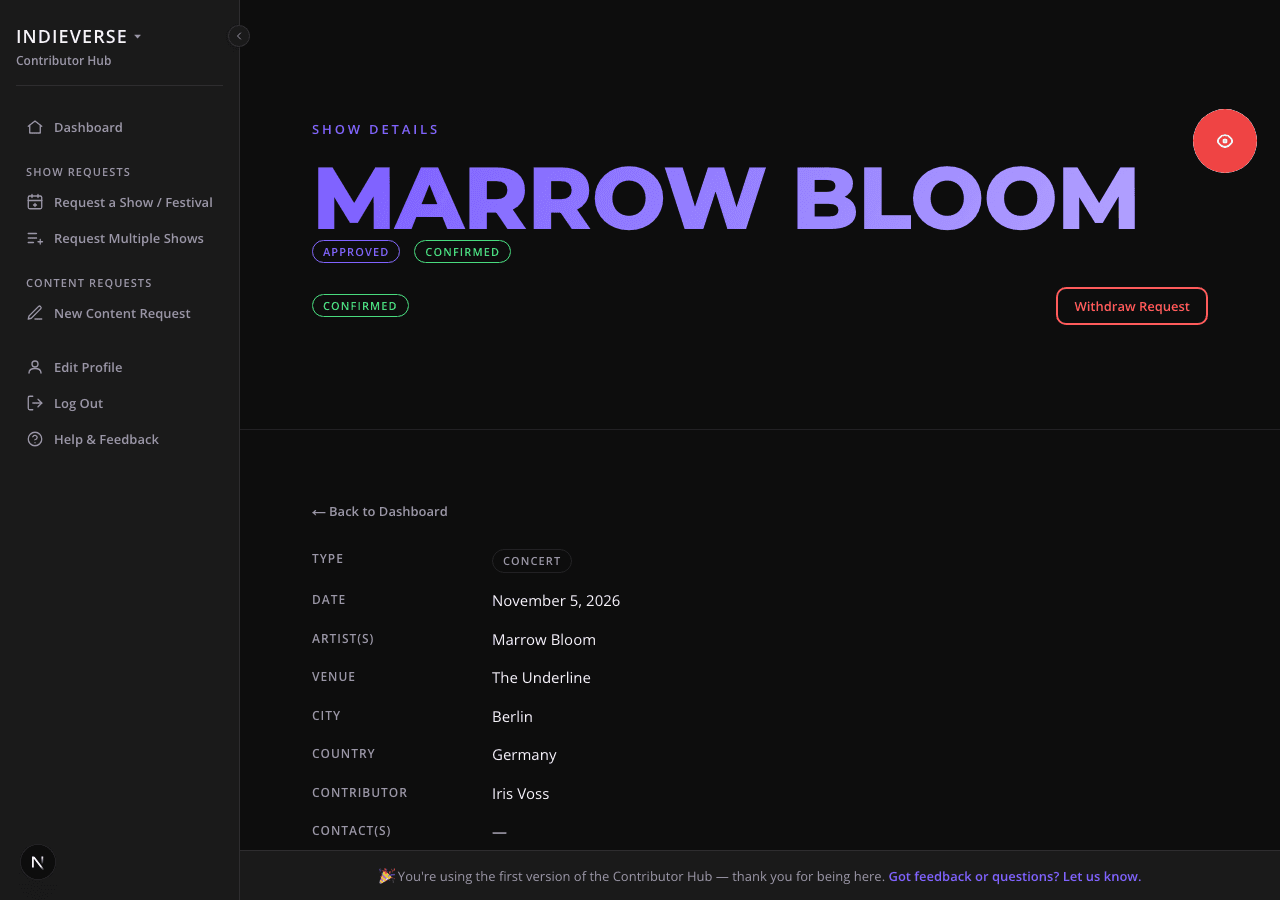
Every request has a status you can see right from your dashboard – requested, approved, declined, withdrawn, delivered, published or done – so you're never guessing or following up by email.
yourname.zinery.co/admin/event/[id]
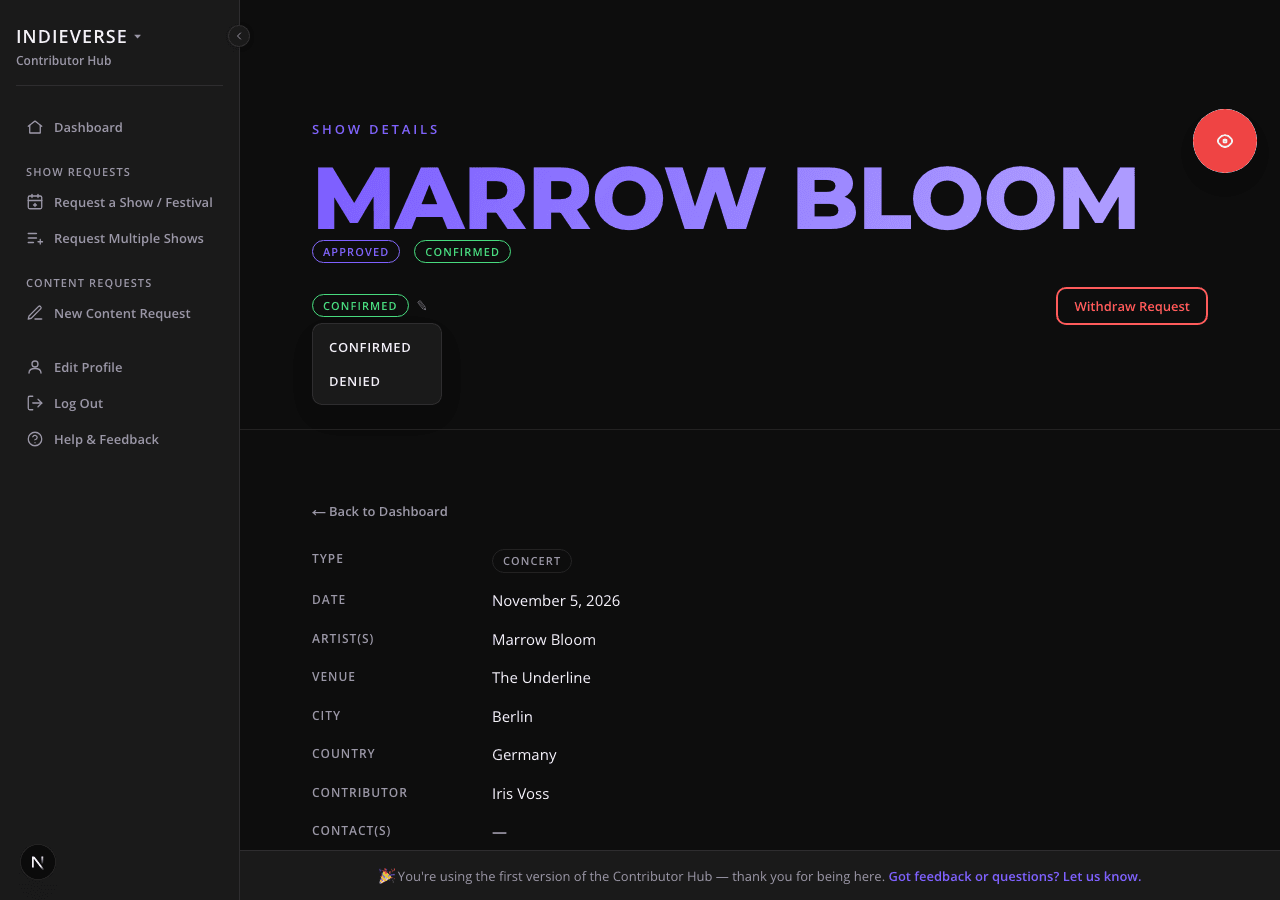
Confirm your photo pass
Once a request is approved by your admin, you can send out the request via mail and mark its photo pass confirmed or denied yourself. If your editor sends out requests for your team, they can update your request on the hub and you get notified.
yourname.zinery.co/admin/event/[id]
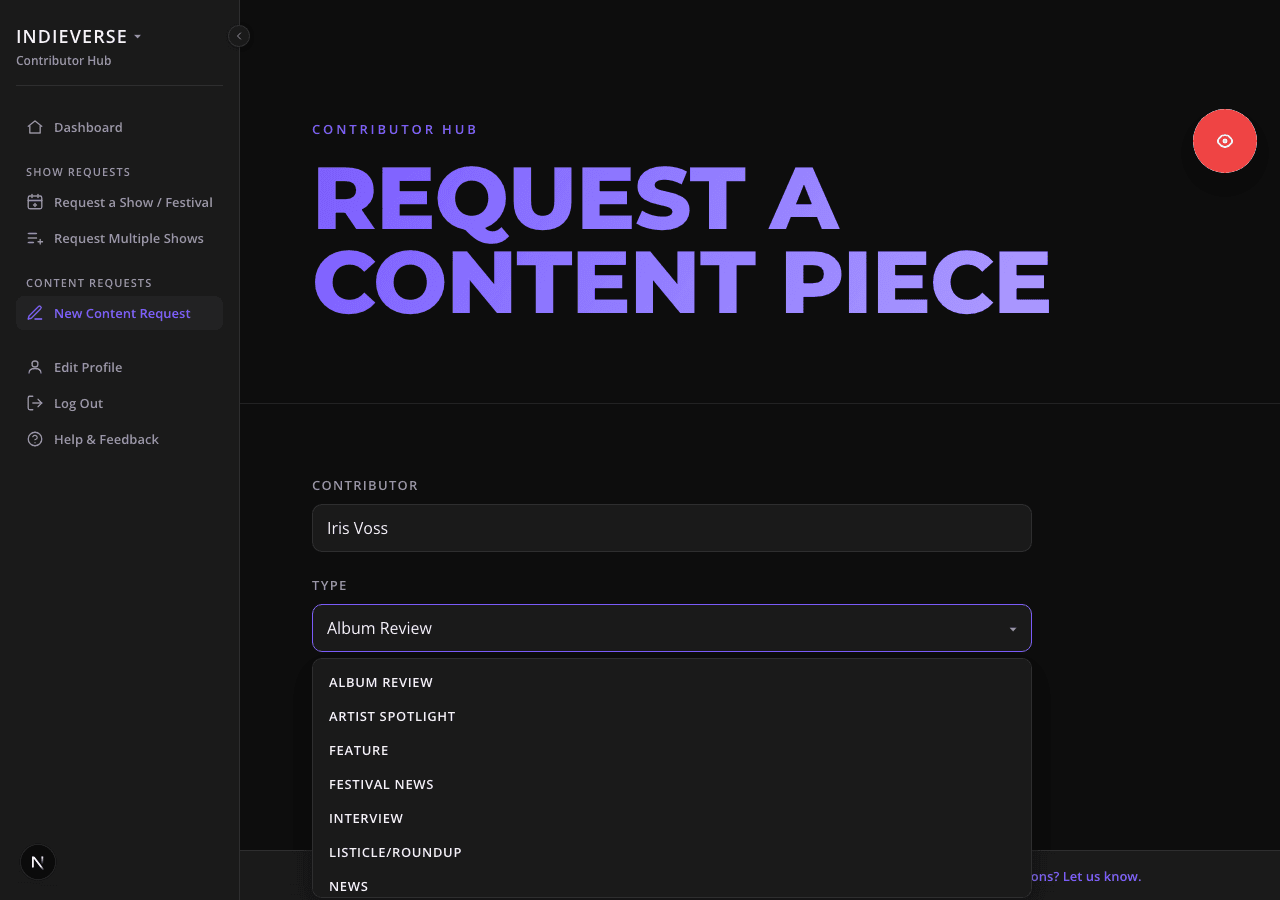
Pitch a review or interview
You can not only request to shoot shows or festivals, you can also pitch an album or single review, an interview, or another feature. Just pick a type, add a working title, the artist(s), and a short comment.
It moves through the same requested → approved/declined → delivered → published → done flow as a show request.
yourname.zinery.co/admin/content-request/new
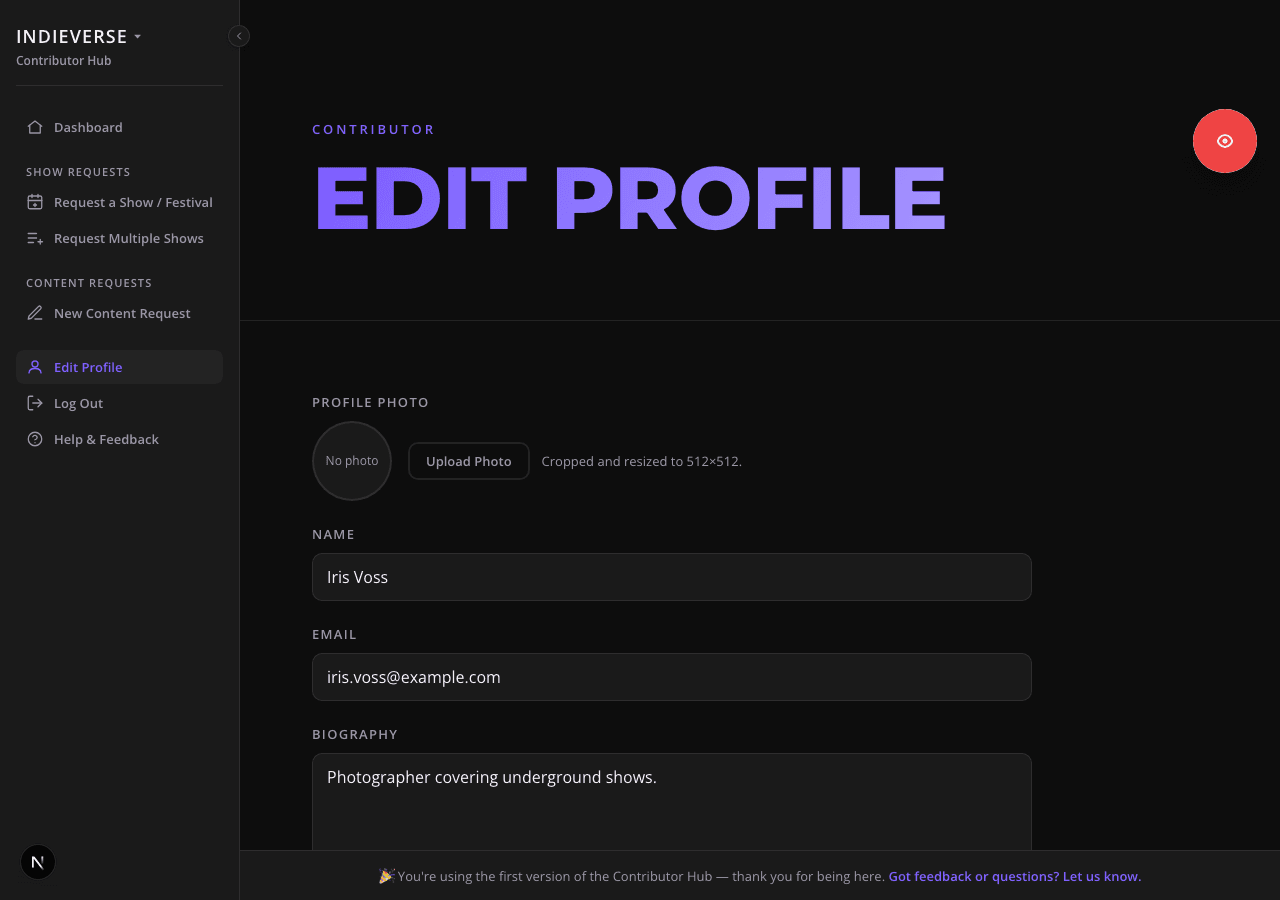
Keep your profile current
Add your name, email, bio, city, country, and links to your site or Instagram to your profile. It's what shows on your public contributor page once you're bylined on a post.
yourname.zinery.co/admin/profile
The publishing side
Once the music blog plan is available and added to your hub you can create posts from within the hub you're already signed up with.
This step and the next few are part of the music blog plan, an add-on for the same hub – same account, nothing to migrate once it's available.
Photos that pull themselves in
Upload photos directly to the event you've covered and create a post with a gallery with just one click. File names and copyright info are set automatically, and the photos are re-sized before uploading to save storage.
Embed the music, link your own coverage
Paste a YouTube, Spotify, Bandcamp, or SoundCloud link and it becomes a real embed, not a bare URL sitting in the text. Reference another article on your own site with a proper preview card instead of plain text.
What readers get on the other end
Every photo opens full-size in a lightbox. Without installing another plugin. And artists connected to the post are shown with all their links.